Starting from a pretrained model and ending with something that actually fits on-device
Training a model from scratch for an edge device is rarely the right move. Data is limited, compute is expensive, and most of what a large pretrained model already knows is still useful. Fine-tuning AI models for edge devices lets me start from a strong base and adapt it to my specific task and hardware constraints. Here’s the workflow I follow before a model ever touches a Jetson Orin Nano or Raspberry Pi.
Step 1: Pick a Base Model That’s Already Edge-Friendly
The architecture matters more than the dataset at this stage. I look for models designed for efficiency, not pure accuracy leaderboard performance:
• MobileNet / EfficientNet-Lite for classification.
• YOLO-nano / YOLOv8n for object detection.
• MobileViT or distilled transformer variants, when attention-based models are unavoidable.
Starting from an oversized model and hoping quantization will fix everything later almost always leads to disappointing latency no matter how good the accuracy looks in a notebook.
Step 2: Curate a Representative Dataset
The biggest gap between lab accuracy and field accuracy usually comes from data that doesn’t reflect deployment conditions. Different lighting, camera angles, sensor noise, or class imbalance all cause it.
I try to collect at least some data directly from the target hardware and environment, even a small set. I then use it for validation, even when the bulk of training data comes from elsewhere.
Step 3: Freeze, Then Selectively Unfreeze
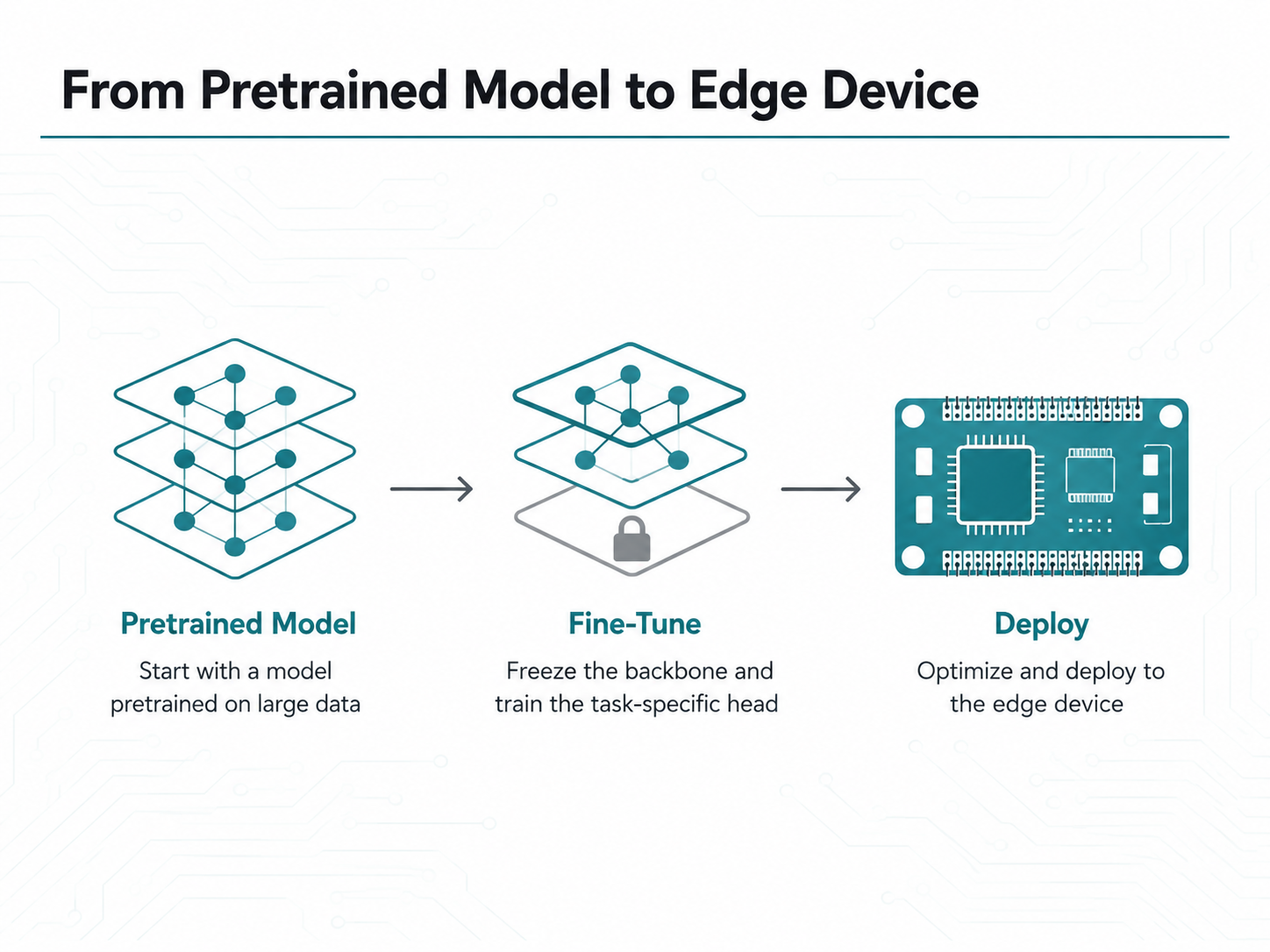
A pattern that works well when fine-tuning AI models on small datasets: freeze the backbone and train only the new head first. Then unfreeze the last few backbone layers for a low-learning-rate pass. This keeps training fast and reduces the risk of catastrophic forgetting.
for param in model.backbone.parameters():
param.requires_grad = False
# Phase 1: train the head only
train(model, lr=1e-3, epochs=10)
# Phase 2: unfreeze last block, lower LR
for param in model.backbone.layer4.parameters():
param.requires_grad = True
train(model, lr=1e-5, epochs=5)
Step 4: Validate Against Edge-Realistic Constraints, Not Just Accuracy
Input resolution: the resolution the deployed camera pipeline will actually produce.
Batch size of 1: most edge inference is single-frame and real-time.
Class thresholds: tuned for the false-positive/false-negative cost in the real application.
A model that scores well on a held-out test set, but was validated at a resolution or batch size the device will never use, is measuring the wrong thing.
Step 5: Keep the Export Path in Mind From Day One
Some layers and ops train beautifully but export poorly to ONNX or convert poorly to TensorRT. I sanity-check exportability early, not after weeks of training. A quick dummy export after the first training run catches incompatible ops before they become a late-stage surprise.
Common Pitfalls When Fine-Tuning for the Edge
Overfitting to a small fine-tuning set: Mitigate with augmentation and early stopping.
Ignoring class imbalance: It’s invisible in aggregate accuracy but obvious in the field.
Fine-tuning at the wrong resolution: Train at the deployed input size, not a different one.
Skipping a baseline: Always compare against the un-tuned pretrained model.
Closing Thoughts on Fine-Tuning AI Models for Edge Devices
Fine-tuning AI models for edge devices is where a generic pretrained model becomes something that actually solves your problem. But the process only pays off if the target hardware and deployment conditions are part of the plan from the start, not an afterthought.
Once training is done, the next step is shrinking that model down for real-time inference. That’s exactly what quantization to ONNX and TensorRT accomplishes, covered in the next post.