Turning a fine-tuned model into something that runs in real time on-device
A fine-tuned model that runs at 3 frames per second isn't useful on most edge projects, no matter how accurate it is. Quantization and format conversion are what bridge that gap between a lab model and a real, deployable product. For makers and embedded developers across Pakistan building on boards like the Jetson Nano or Raspberry Pi, this is often the single biggest performance unlock in the whole pipeline.
Why Does Quantization Matter for Edge AI?
Most models are trained in 32-bit floating point (FP32), which is precise but expensive to compute and move through memory. Edge devices have limited memory bandwidth, and hardware like the Jetson's Tensor Cores is specifically built to run fast at lower precision.
Dropping precision to FP16 or INT8, trades a small amount of accuracy for a large gain in speed and a smaller memory footprint.
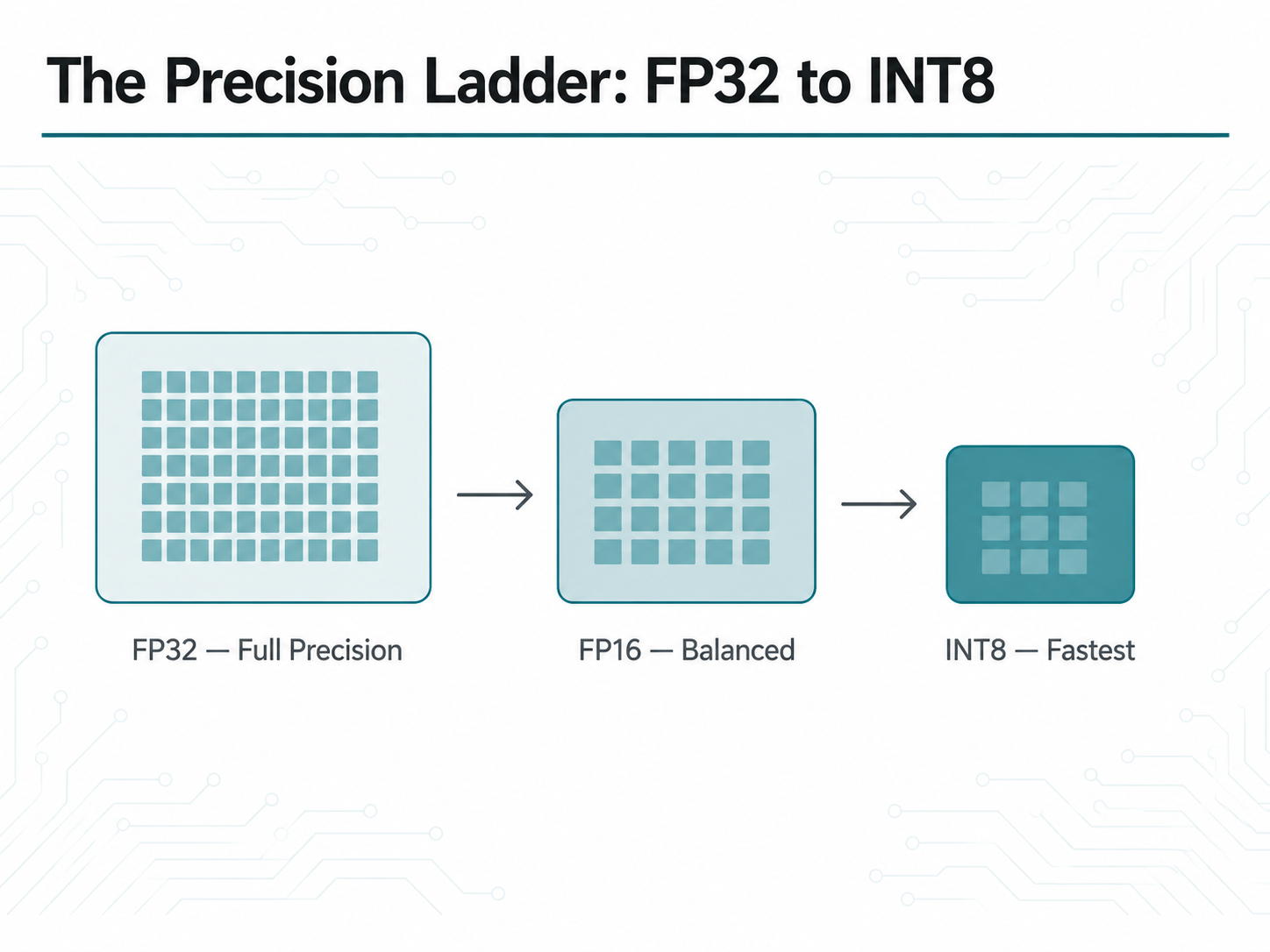
What Is the Precision Ladder in Model Quantization?
FP32: Full precision, the training default, slowest on-device.
FP16: Roughly half the memory footprint, usually near-zero accuracy loss, and a safe first step.
INT8: The biggest speedup available, but it requires calibration to avoid meaningful accuracy loss.
It's worth benchmarking all three before deciding which one ships, since the right trade-off depends heavily on the specific model and task.
How Do You Export a Model to ONNX?
ONNX (Open Neural Network Exchange) is the portable intermediate format that sits between your training framework and your deployment runtime. Exporting from PyTorch looks like this:
import torch
dummy_input = torch.randn(1, 3, 224, 224)
torch.onnx.export(
model, dummy_input, "model.onnx",
input_names=["input"], output_names=["output"],
opset_version=17,
dynamic_axes={"input": {0: "batch"}}
)
Always validate the ONNX graph immediately after export. Run the same test inputs through both the original PyTorch model and the ONNX Runtime session, and confirm the outputs match within a small tolerance.
How Do You Convert ONNX to a TensorRT Engine?
On an NVIDIA Jetson, TensorRT compiles the ONNX graph into a hardware-specific engine — fusing layers and selecting the fastest kernel implementations for that exact GPU:
trtexec --onnx=model.onnx \
--saveEngine=model_fp16.trt \
--fp16
# INT8 with a calibration dataset
trtexec --onnx=model.onnx \
--saveEngine=model_int8.trt \
--int8 --calib=calibration.cache
How Do You Calibrate a Model for INT8 Quantization?
INT8 needs a calibration pass over a representative sample of real input data, so TensorRT can pick sensible quantization ranges per layer.
Skipping calibration, or calibrating on unrepresentative data, is the most common reason INT8 models come out noticeably less accurate than their FP16 counterparts. A few hundred images drawn from the same distribution as your validation set is usually enough.
What Should You Benchmark Before Shipping a Quantized Model?
Latency per frame, end-to-end, including pre/post-processing.
Accuracy delta versus the original FP32 model on the held-out test set.
Memory footprint, especially if multiple models run concurrently.
Edge-case behavior quantization sometimes hurts rare classes disproportionately.
Can You Quantize Models on a Raspberry Pi Without TensorRT?
Yes. Since TensorRT is NVIDIA-specific, quantizing on a Raspberry Pi typically means staying within ONNX Runtime or converting to TensorFlow Lite, using dynamic or full-integer quantization depending on whether an attached accelerator like a Coral TPU is in play. The same precision-ladder thinking applies just with a different toolchain.
If you're prototyping edge AI projects in Pakistan, sourcing the right board is half the battle. CircuitHub.pk stocks 100% genuine Raspberry Pi boards, Jetson-compatible accessories, sensors, and modules — with nationwide delivery and cash on delivery, so you can get your dev kit without waiting on cross-border shipping delays.
Closing Thoughts
Quantization is where an accurate model becomes a deployable one. FP16 is close to a free win; INT8 takes more care but often makes the difference between a demo and a shipped product. With a quantized, hardware-specific engine in hand, the last piece is wiring it into an actual application on the device — the subject of the final post in this series, where we walk through a full training-to-deployment pipeline.
Ready to build your edge AI project?
Browse genuine dev boards, sensors, and modules for your next prototype at CircuitHub.pk with fast, reliable delivery and cash on delivery across Pakistan.